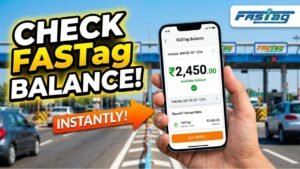
FASTag has made highway travel in India faster and more convenient by enabling automatic toll payments through RFID technology. Instead of stopping at toll plazas and paying cash, the toll amount is deducted directly from your FASTag wallet or linked bank account. To ensure uninterrupted travel, it is important to maintain sufficient balance in your FASTag account.
Recharging a FASTag is now easier than ever. Whether your FASTag is issued by a bank or by NHAI, you can recharge it online using UPI, debit card, credit card, net banking, mobile banking apps, or the MyFASTag app. Many payment platforms also support FASTag recharges, allowing vehicle owners to top up their balance within a few minutes.
Advertisements
What is FASTag?
FASTag is an electronic toll collection system developed under the National Electronic Toll Collection (NETC) program. It uses RFID technology to automatically deduct toll charges when your vehicle passes through a toll plaza.
The FASTag sticker is attached to the vehicle’s windshield and is linked to either:
A prepaid FASTag wallet
A savings bank account
This enables seamless toll payments without the need to stop at the toll booth.
Why Should You Recharge Your FASTag?
Keeping your FASTag balance updated offers several benefits:
Smooth travel through toll plazas
Avoids double toll charges due to low balance
Prevents FASTag blacklisting
Saves time during highway travel
Provides a digital record of toll transactions
Regularly checking and recharging your FASTag helps ensure hassle-free journeys.
Advertisements
Information Required Before Recharging
Before starting the recharge process, keep the following details ready:
Vehicle Registration Number
Registered Mobile Number
FASTag Issuer Bank
UPI, Debit Card, Credit Card, or Net Banking details
Method 1: Recharge Using the MyFASTag App
The MyFASTag app is one of the easiest ways to recharge both NHAI-issued and many bank-issued FASTags.
Steps
Open the MyFASTag app.
Log in using your registered mobile number.
Select your FASTag account.
Enter the recharge amount.
Complete the payment using:
UPI
Debit Card
Credit Card
Net Banking
Your FASTag balance is usually updated immediately after successful payment.
Method 2: Recharge Through Your Bank
If your FASTag was issued by a bank, you can recharge it directly through:
Mobile Banking App
Internet Banking
Official FASTag Portal
Simply log in to your account, open the FASTag section, enter the recharge amount, and complete the payment. Most banks support UPI, cards, and net banking for FASTag top-ups.
Method 3: Recharge Using UPI Apps
FASTag can also be recharged through UPI-enabled apps.
Steps
Open your preferred UPI app.
Choose the FASTag recharge option (if available), or use the NETC FASTag UPI ID provided by your issuer.
Select your FASTag account.
Enter the recharge amount.
Complete the payment using your UPI PIN.
After successful payment, you will receive an SMS confirming the recharge. Official guidance notes that the FASTag UPI ID follows the format NETC.VehicleRegistrationNumber@BankHandle and should be verified with your issuer bank.
Advertisements
Method 4: Recharge Using Google Pay or Other Payment Apps
Several payment platforms allow FASTag recharges.
Generally, you need to:
Select FASTag Recharge
Choose your issuer bank
Select your vehicle
Enter the recharge amount
Complete the payment
The updated balance is reflected shortly after successful payment.
Can You Recharge FASTag Offline?
Yes. FASTag can also be recharged offline through Bharat Bill Payment System (BBPS) counters available at many toll plazas and authorized locations. Depending on the location, payment can be made using cash or digital methods.
Common Reasons for Recharge Failure
Sometimes a recharge may not reflect immediately due to:
Incorrect vehicle number
Wrong FASTag issuer selected
Network or server issues
Pending payment confirmation
Inactive or blacklisted FASTag
If the balance is not updated after payment, contact your FASTag issuer’s customer support.
Tips for Hassle-Free FASTag Usage
To avoid problems while traveling:
Maintain sufficient balance before every trip.
Enable SMS alerts for every toll deduction.
Verify your registered mobile number.
Check your balance regularly.
Keep your KYC details updated if requested.
These simple practices help ensure uninterrupted toll payments.
Conclusion
Recharging your FASTag online is a quick and convenient process that takes only a few minutes. Whether you use the MyFASTag app, your bank’s portal, UPI, or digital payment apps, you can keep your FASTag active and ready for travel. Maintaining an adequate balance not only prevents delays at toll plazas but also ensures a smooth and cashless highway travel experience.