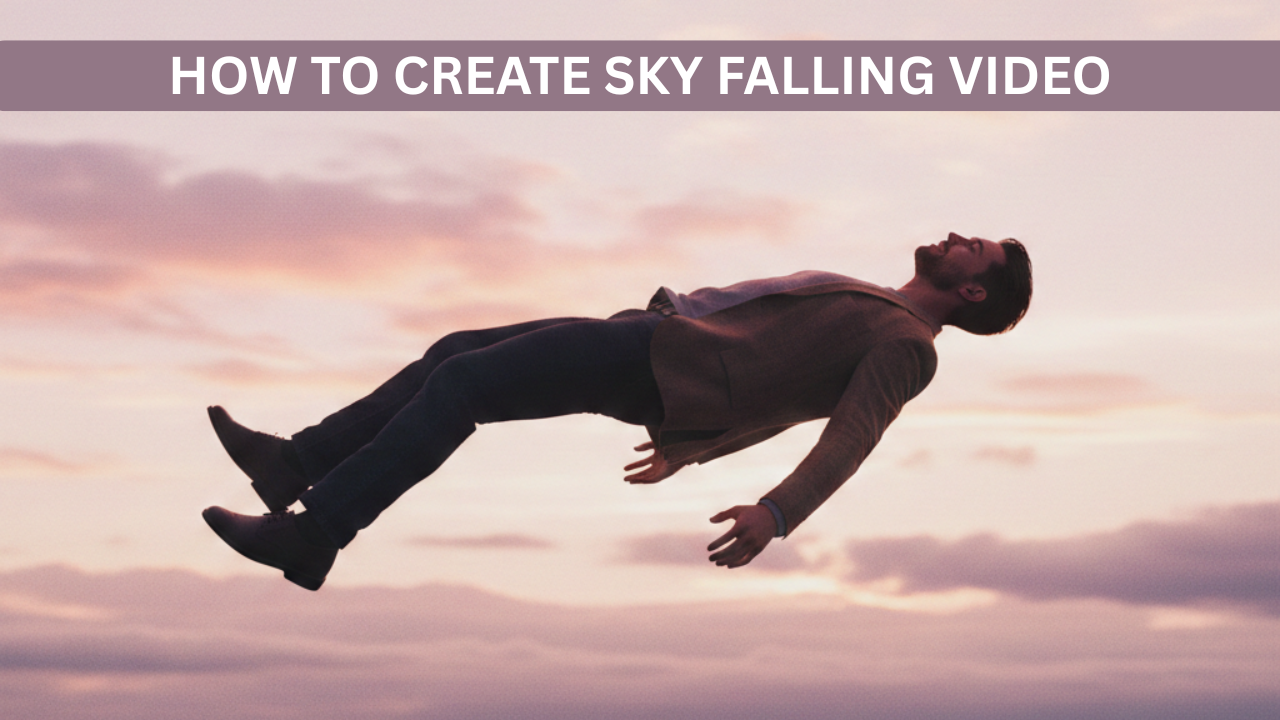
Falling-from-the-sky videos are trending everywhere right now — on Instagram Reels, YouTube Shorts, and TikTok. These videos show a person dramatically falling from the sky, clouds opening, cinematic lighting, and a realistic landing scene. Many creators are using AI tools to make these videos without shooting anything in real life.
The good news? You don’t need a camera, studio, or VFX skills. With the right AI tools and prompt, you can create these viral videos in just a few steps.
In this article, I’ll explain the entire process, tools needed, and share a ready-to-use AI prompt.
Advertisements
What Is a “Falling From Sky” AI Video?
A falling-from-sky video is an AI-generated cinematic clip where a character appears to fall from clouds toward the ground. The video usually includes:
Realistic sky and clouds
Slow-motion falling effect
Dramatic camera angles
Cinematic lighting
Smooth landing or fade-out
These videos look professional and often feel like movie scenes, which is why they perform so well on social media.
Tools You Need to Create Falling From Sky Videos
You only need two main AI tools:
AI Image Generator – to create a realistic character image
AI Video Generator – to animate the image into a falling scene
Popular tools creators use:
AI image tools (for realistic human images)
AI video tools that convert images into cinematic motion videos
Most tools work on prompts, so writing a good prompt is the key.
Step 1: Create a Realistic Character Image
First, you need a high-quality image of a person. This image will be used as the base for your video.
Image Prompt Example:
Ultra realistic cinematic scene of my me floating and falling in mid air above the clouds, dynamic upside down pose with legs bent and arms slightly raised, wearing black hoodie black pants black cap sunglasses and red sports shoes, dramatic sense of motion, two futuristic stealth fighter jets flying very close above and below the character with motion blur and heat trails, high altitude sky with soft clouds far below, daylight cinematic lighting, sharp focus on character, wide angle shot, epic scale, realistic physics, dramatic composition, 4k quality, no text, no logo, no watermark
Make sure:
The image is clear and sharp
The face is fully visible
The pose is neutral (standing or slightly dynamic)
Once your image is ready, download it.
Advertisements
Step 2: Use AI Video Generator (Image to Video)
Now upload this image to an AI video generator that supports image-to-video animation.
Choose options like:
Cinematic motion
Slow movement
Realistic physics
Smooth camera motion
This is where the falling effect comes in.
Step 3: Use This Falling From Sky Video Prompt (Main Prompt)
This is the most important part. Copy and paste the prompt below into your AI video tool.
Falling From Sky Video Prompt:
A cinematic wide low angle shot captured from the ground looking straight up at a man floating high in the open sky mid air minimal composition subject very small in frame lots of empty sky soft natural daylight realistic motion blur ultra realistic photography shallow depth of field clean background no aircraft no objects dramatic scale feeling 8k high detail vertical frame
If the tool allows negative prompts, add:
blurry, cartoon, low quality, unrealistic motion, distorted body, extra limbs
Step 4: Adjust Video Settings
Before generating the video, check these settings:
Duration: 5–8 seconds (best for reels/shorts)
Style: Cinematic or Realistic
Motion strength: Medium (not too fast)
Camera: Slight zoom or downward movement
These settings help make the fall look natural and dramatic.
Step 5: Generate & Download the Video
Click generate and wait for the video to render. Once done:
Preview the video
Download in the highest resolution available
Save it for editing or direct upload
If the fall feels too fast or unnatural, slightly change the prompt words like “slow-motion” or “realistic gravity” and regenerate.
Advertisements
Step 6: Optional – Add Music & Text
To make your video viral:
Add dramatic background music
Add a short caption like:
“What if you suddenly fell from the sky?”
“AI videos are getting too real…”
Upload it as a Reel or Short with trending audio for better reach.
Tips to Make Your Falling From Sky Videos Go Viral
Keep videos under 10 seconds
Use cinematic lighting words in prompts
Always avoid cartoon or animated styles
Use emotional or curiosity-based captions
Post consistently
Final Thoughts
Creating falling-from-the-sky videos is no longer limited to filmmakers or VFX artists. With AI tools and the right prompt, anyone can create cinematic, realistic videos in minutes.
The secret lies in:
A good character image
A strong cinematic prompt
Proper motion settings
Once you master this, you can create viral content, grow your social media pages, or even sell AI video services.