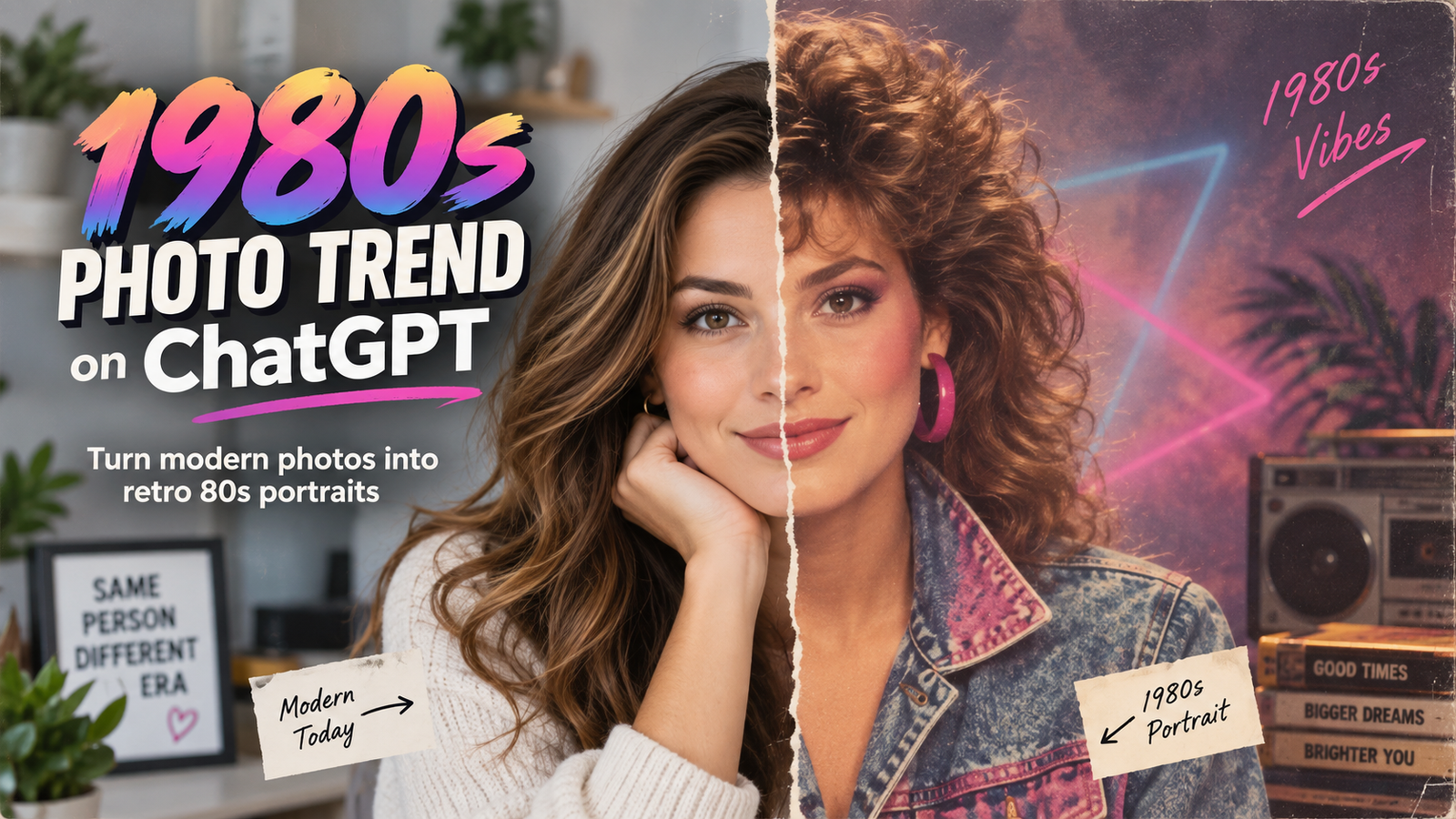
The 1980s photo trend on ChatGPT is becoming a popular way to transform modern photographs into nostalgic portraits inspired by the look and feel of the 1980s.
Using AI image editing, an ordinary portrait can be recreated with retro clothing, classic hairstyles, old-school studio lighting, faded colors, analog film grain, and vintage backgrounds. Instead of simply placing a retro filter over the image, AI can change the overall styling of the photograph while keeping the person recognizable.
The trend works particularly well for profile pictures, social media posts, couple portraits, family photos, and creative throwback images. You can upload your own photograph to ChatGPT and ask it to recreate the visual style of an authentic 1980s photograph while preserving your face and important facial features.
What Is the 1980s Photo Trend?
The 1980s photo trend uses AI image generation and editing to recreate the visual characteristics normally associated with photographs taken during the decade.
A convincing 80s-style portrait may include vintage film photography, period-appropriate clothing, retro hairstyles, analog camera texture, soft studio lighting, slightly faded colors, classic portrait backgrounds, and accessories inspired by the era.
The important part is that the transformation should go beyond adding an old-looking color filter. A good result recreates the lighting, clothing, hairstyle, background, composition, colors, and photographic texture associated with genuine photographs from the 1980s.
This is what makes the final image look like an old photograph rather than a modern portrait edited with a simple vintage preset.
How to Create an 80s Photo Using ChatGPT
Creating an 80s-style photograph with ChatGPT is relatively simple.
Step 1: Upload Your Photo
Start by opening ChatGPT and uploading the photograph you want to transform.
For better results, use a clear photograph where your face is easily visible. Front-facing portraits, half-body photographs, and well-lit images generally give the AI more facial information to work with.
Try to avoid photographs that are extremely blurry, heavily filtered, very dark, or where most of the face is covered.
Step 2: Describe the 1980s Style You Want
After uploading the image, explain how you want the photograph transformed.
Instead of writing only “make this look like the 1980s,” describe the photography style in more detail. You can mention retro clothing, period hairstyles, a traditional studio backdrop, analog film grain, faded color film, softer lighting, and vintage print texture.
You should also tell ChatGPT to preserve your facial identity and recognizable features so the generated result still looks like you.
Step 3: Generate and Refine the Image
Once you provide your instructions, ChatGPT can generate a transformed version of your photograph.
The first result may already look good, but you can continue refining it. For example, you might ask for a different hairstyle, simpler background, more realistic film grain, warmer lighting, more authentic clothing, or less exaggerated colors.
AI image editing often produces better results when you make small adjustments after the first generation rather than trying to describe every detail in one extremely long instruction.
1980s Photo Trend Prompt
You can use the following prompt after uploading your photograph:
Transform my uploaded photo into an authentic 1980s studio portrait.
Keep my face, facial structure, skin tone, hairstyle characteristics, and overall identity recognizable and natural. Give the image a genuine 1980s photography aesthetic rather than making it look like a modern photograph with a simple vintage filter.
Use period-appropriate 1980s fashion, hairstyle, accessories, soft studio lighting, a classic portrait backdrop, subtle analog film grain, slightly faded colors, realistic film texture, gentle highlights, and the appearance of a professionally developed photograph from the decade.
Make the image feel like an actual photograph taken in the 1980s using an analog camera. Avoid modern clothing, modern studio lighting, excessive artificial effects, plastic-looking skin, cartoon styling, or an overly strong Instagram-style filter.
Photorealistic, nostalgic, natural facial details, authentic 1980s composition, realistic film grain, vintage print texture, and high detail.
How to Make an 80s Photo Look More Authentic
Small details can make a major difference when generating a retro photograph.
Simply asking for an “old photo” may produce an image with excessive yellow coloring or artificial-looking grain. Instead, describe the characteristics of traditional film photography.
You can request subtle film grain, slightly imperfect exposure, gentle highlights, softer shadows, faded but realistic colors, and the appearance of an old developed print.
It also helps to specify the type of photograph you are trying to recreate. An 80s family studio portrait will look very different from an 80s fashion shoot, wedding photograph, school portrait, or casual outdoor picture.
For example, someone creating a family photograph could ask for a simple studio backdrop, coordinated 1980s clothing, soft portrait lighting, natural poses, and subtle film texture.
1980s Couple Photo Trend
The same technique can be used with photographs containing two people.
Upload a clear couple photo and ask ChatGPT to preserve both people’s faces while transforming their clothing, hairstyles, lighting, and background into an authentic 1980s setting.
A vintage studio portrait usually works particularly well. You can request coordinated retro outfits, natural couple poses, slightly faded film colors, a simple studio background, and realistic analog-camera texture.
You can also create different versions, such as an 80s wedding portrait, casual couple photograph, fashion-style image, or old family-album photograph.
1980s Bollywood-Style Photo
Another interesting variation is creating an Indian retro portrait inspired by 1980s Bollywood photography.
Instead of recreating a particular movie poster, you can describe the overall visual style of the decade. For example, request period-appropriate Indian clothing, classic 80s hairstyles, warm lighting, dramatic but realistic portrait photography, vintage studio backgrounds, faded colors, and analog film grain.
Traditional sarees, retro shirts, jackets, jewelry, sunglasses, and hairstyles associated with the decade can also help establish the period.
If you want the photograph to feel inspired by a particular Bollywood era, describing the fashion, lighting, hairstyle, composition, and mood generally produces a more original result than trying to recreate an exact promotional photograph.
Conclusion
The 1980s photo trend on ChatGPT is a creative way to transform modern photographs into nostalgic retro portraits.
The best results usually come from describing more than just an “80s filter.” Mention the clothing, hairstyle, lighting, background, camera characteristics, film grain, faded colors, and vintage print texture you want.
Start with a clear photograph, use a detailed prompt, and refine the generated image when necessary. With the right instructions, the final result can look much closer to a genuine photograph captured during the 1980s instead of a modern picture with a simple retro effect.